
How to Find a Short Drama From a Screenshot
Upload one frame to get the drama's title, the app that lists it, and a link to the official page.
Short answer
Pause the clip, take a screenshot, and upload it at shorthunt.app with Start the hunt, or paste it with Ctrl+V or Cmd+V. The answer card shows the drama's title, the app that lists it, and the episode count. Open View drama to check the poster and synopsis, play a free preview if there is one, use Watch to open the official page, or check Other possible matches if the top answer looks wrong.
You catch thirty seconds of a short drama in your feed. It ends on a cliffhanger, and the only text on screen is a hook line. You search that line and get nowhere, because it was never the name of the show.
This happens with official uploads too. ReelShort posted a clip of Don't Miss Me When I'm Gone on its own YouTube channel under the headline "My girl, my two foolish sons don't deserve you!" Nothing in that line tells you the real title.
- Clip headlineMy girl, my two foolish sons don't deserve you!
The hook on ReelShort's own YouTube upload.
- Catalog titleDon't Miss Me When I'm Gone
The name on the ReelShort listing and on Shorthunt.
A screenshot gets around the naming problem. The faces and the set stay the same whatever the clip is called.
Find the drama with Shorthunt
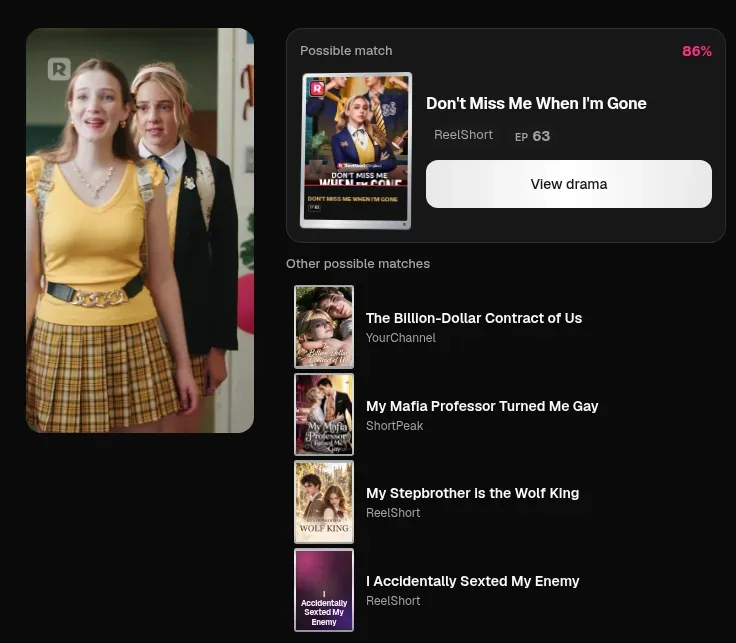
We took a frame from the official trailer of Don't Miss Me When I'm Gone: two students standing in a school hallway, one in a yellow top and a plaid skirt. Here is what happened, screen by screen.
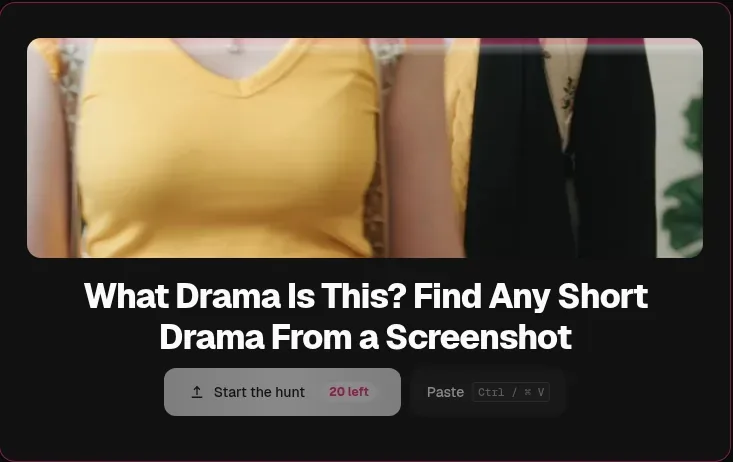
Upload the screenshot
- Open shorthunt.app and click Start the hunt.
- Pick one image. PNG, JPEG, and WebP all work. If the screenshot is already on your clipboard, press Ctrl+V or Cmd+V instead.
- That is the whole upload. There is no separate submit button. About a second later the page says Matching this frame.
Read the answer card
The answer card replaces the upload area. For our frame it read Possible match, 86%, with the title Don't Miss Me When I'm Gone, the app ReelShort, and EP 63.
Under the card, Shorthunt listed four other possible matches from ReelShort, ShortPeak, and YourChannel. The top answer was the right one, so we did not need them this time.
Check the drama page
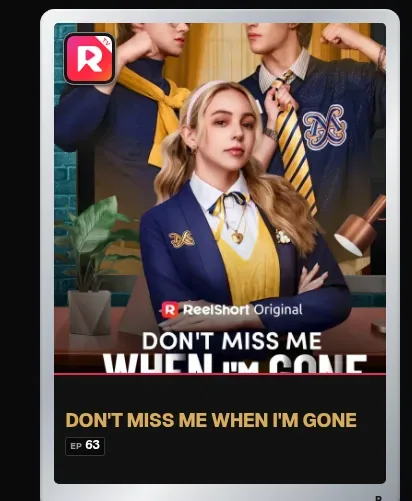
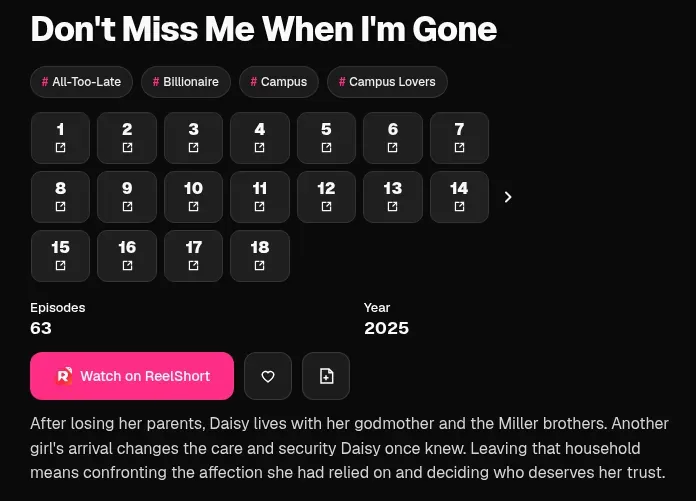
View drama opens the title page on Shorthunt, where you confirm the match before jumping to an app. Check the faces on the poster and the character names in the synopsis against your clip: here, the hallway shot matched the ReelShort poster and the story about Daisy and the Miller brothers.
Some dramas include free preview episodes you can play right on this page; others, like this one, link straight out to the app.
Go to the official page
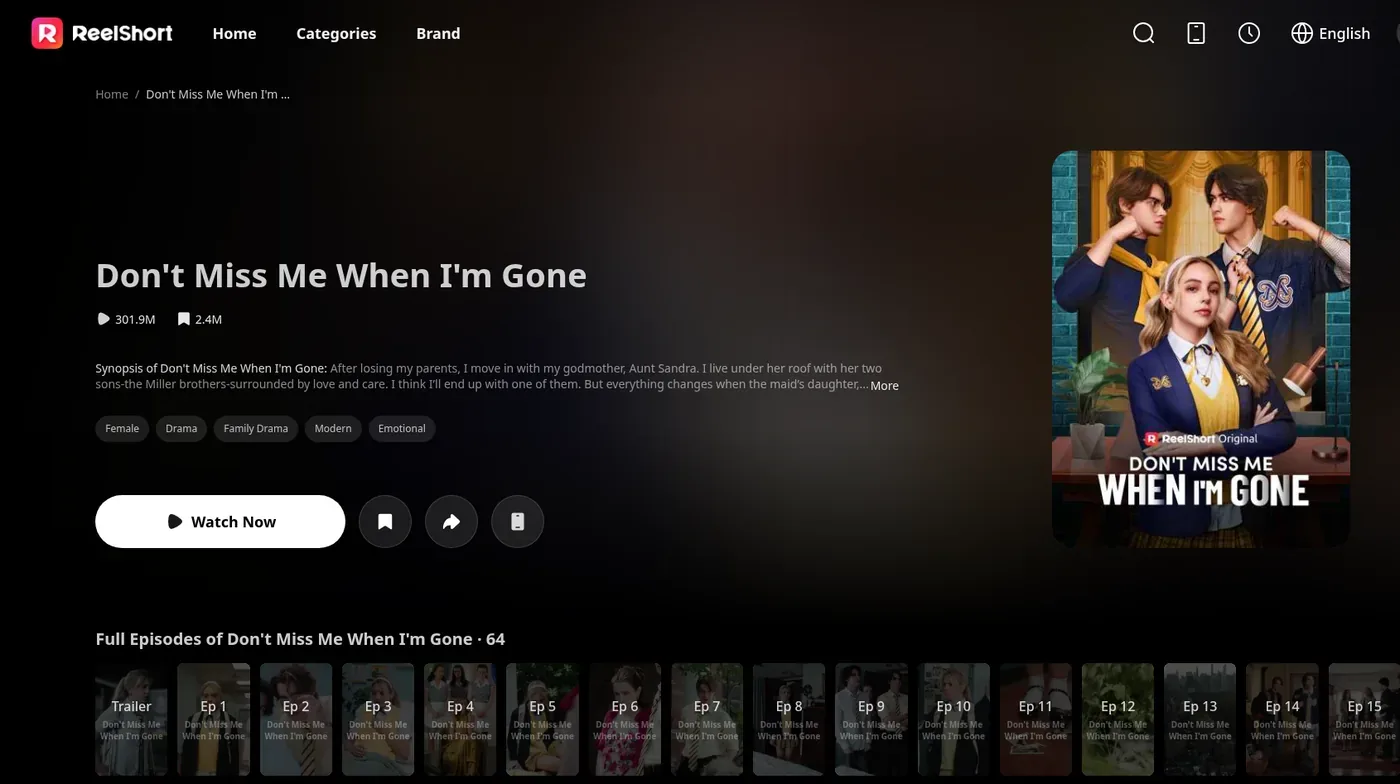
Watch on ReelShort opened the drama's official ReelShort page in a new tab, with Watch Now and the full episode list (ReelShort's "64" count includes the trailer alongside the 63 episodes).
Counting it up: one step from the screenshot to the title, then two clicks to the official page.
What the answer card tells you
Each part of the card answers a question you would otherwise have to search for.
- Title. The name the drama is listed under, which is the one to search in the app.
- App. Where the drama is listed, for example ReelShort or ShortPeak, so you know which app to open.
- Episode count. How long the series is before you commit, shown as EP 63 on the card.
- Label and percentage. The top of the card says either Found it or Possible match, with a percentage next to it. Do not read the number as how sure the answer is. Confirm with the poster and synopsis on the drama page instead.
- Other possible matches. Close candidates, each with its app. When the top answer is wrong, the right one may be in this list.
Watch buttons lead to the listing app's own page, so you end up on the official source, not a copy.
A second example: God of Pain
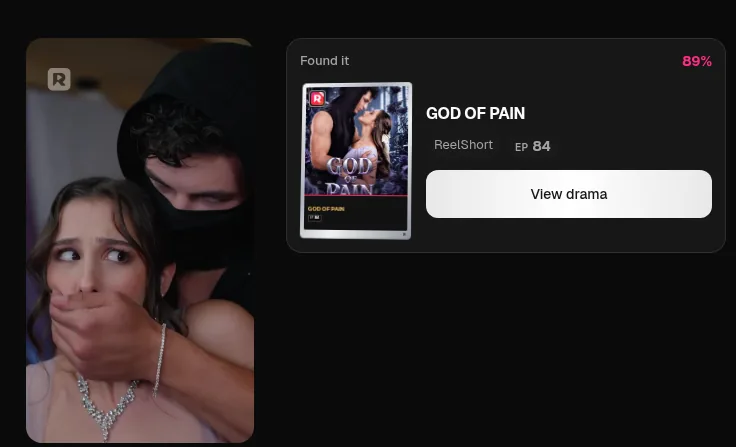
When a frame matches cleanly, Shorthunt skips the candidate list and labels the card Found it. A tense shot from God of Pain, a man in a black mask covering a woman's mouth, came back as a single Found it, 89% card for ReelShort (84 episodes), with no Other possible matches underneath.
When the first result is not the one
Sometimes the poster on the drama page does not match the people in your screenshot. Here is what to try.
- Scan Other possible matches. They sit right under the answer card. Look for a poster with the same faces.
- Compare before you trust it. Open View drama and check the poster and the synopsis against what you saw in the clip.
- Search by name. If you caught a character's name or part of the title, type it into the Search dramas box at the top of the site.
- Check that the app is covered. Shorthunt searches dramas from 13 apps: DramaBox, FlexTV, GoodShort, HoneyReels, NetShort, Playlet, ReelShort, SagaBox, ShortMax, ShortPeak, StardustTV, YourChannel, and FlickReels. A drama that is only on another app will not turn up.
- Try another moment from the same clip. A second frame can turn up the right title when the first one does not.
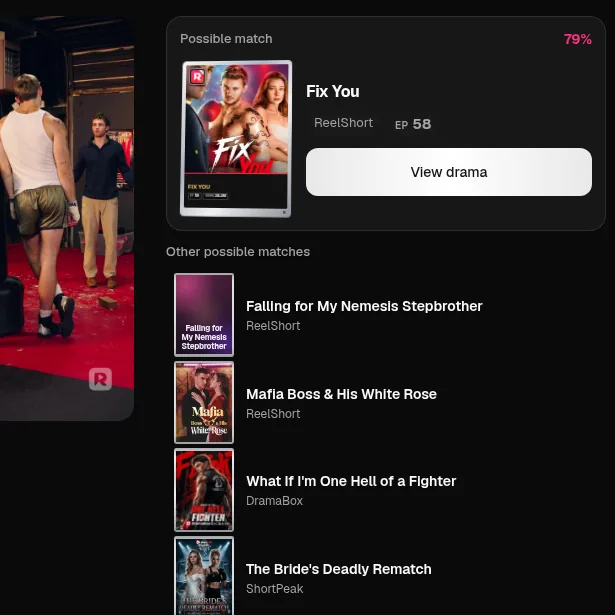
That happened when we ran Fix You: two tight shots of a single actor pointed to other dramas, while a third frame showing two people in a boxing gym came back as Fix You at 79%.
How to take a screenshot that matches well
- Pick a clear frame. Pause on a still moment, not mid-movement or during a fade.
- Prefer a scene over a tight face close-up. A frame that includes outfits, the set, or two actors gives the matcher more to work with than a single face filling the screen.
- Hide your phone's overlays. Wait for notifications, the volume bar, and player controls to disappear before you take the screenshot.
- Crop out the app around the video. Buttons and progress bars around the video are not part of the scene.
Shorthunt, Google Lens, and Bing side by side
General image search can work. We ran the Don't Miss Me When I'm Gone frame through Google Lens and Bing Visual Search too.
| Tool | What came back first | Path to watching |
|---|---|---|
| Shorthunt | Title, app, and episode count on one card, plus other possible matches | One step to the title, then two clicks to the official ReelShort page |
| Google Lens | AI Mode named the drama and ReelShort. Exact matches found nothing, and Visual matches showed plaid outfits from other shows and shops | AI Mode included a ReelShort link alongside YouTube and IMDb results, mixed with outfit lookalikes in the other tabs |
| Bing Visual Search | An overview calling it Netflix's Sex Education. The real title only appeared in a YouTube result lower down | The overview pointed at the wrong show |
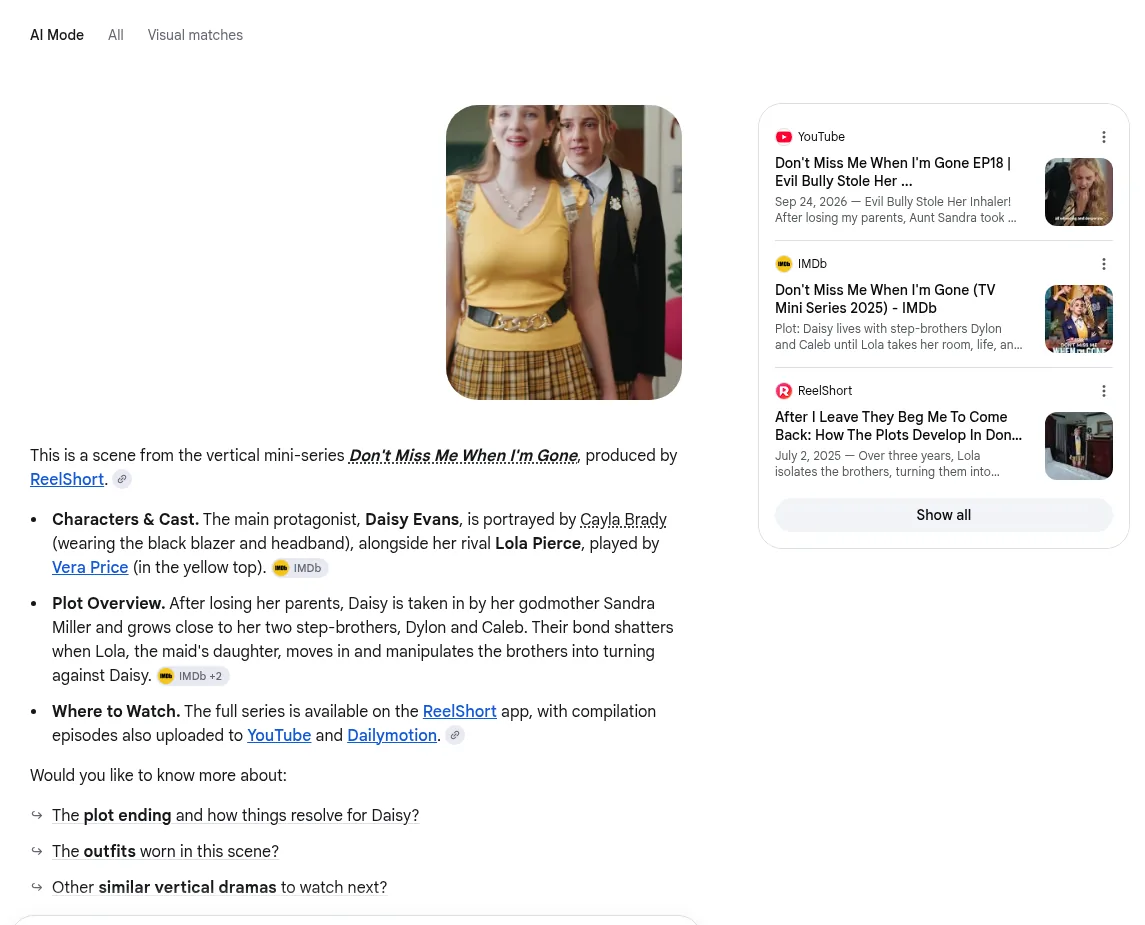
Lens got the hallway frame right in AI Mode, though the answer was a text paragraph and the Visual matches tab filled up with plaid-skirt shopping links.
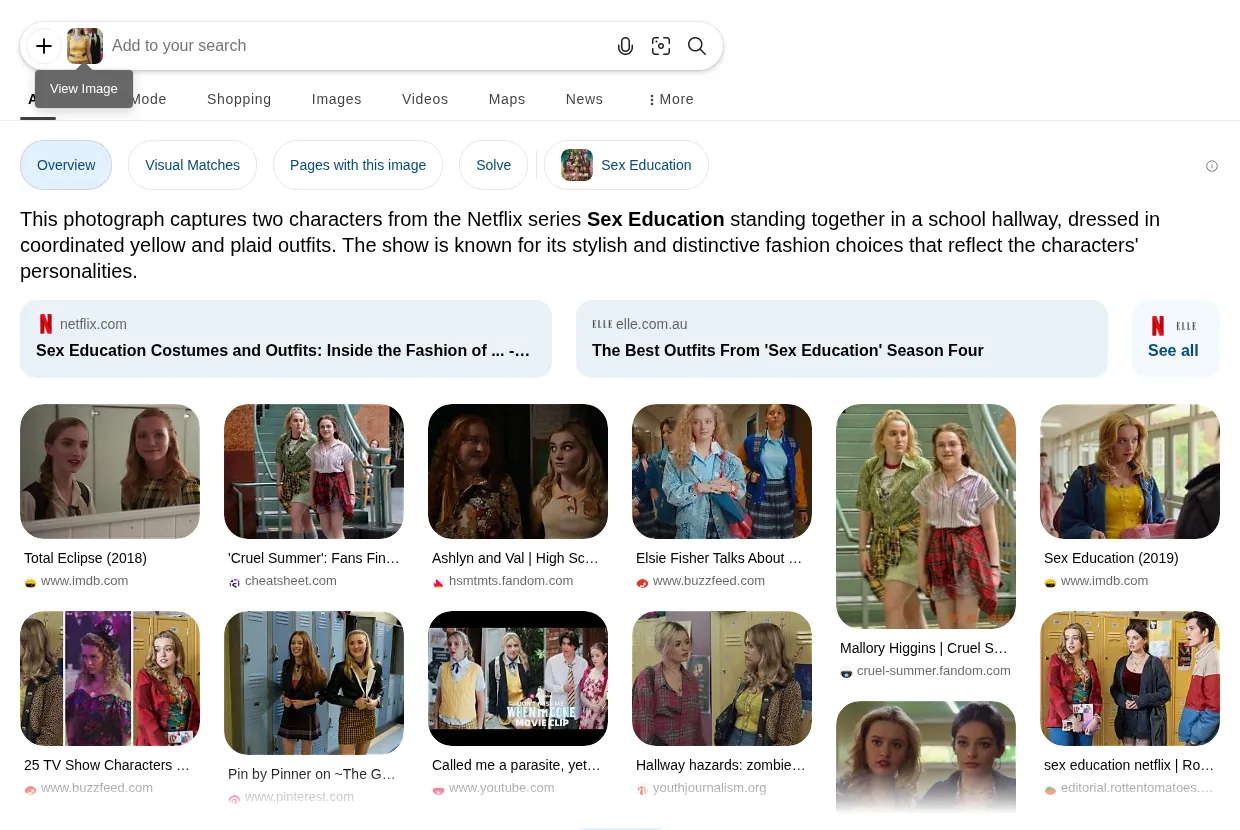
Bing matched the school outfits instead of the show and called it Netflix's Sex Education.
Single-face close-ups were harder across the board: on a close-up of the Fix You boxer, both Lens and Bing opened with a generic description of a tattooed man in a white tank top, though Lens surfaced the right clip further down in its visual matches. Both tools search the whole web, so they can find things outside the 13 apps Shorthunt covers. What neither gave us was one card with the app, the episode count, and a direct button to the official listing.
FAQ
Can I upload a video clip?
No. Shorthunt takes one image at a time, in PNG, JPEG, or WebP. Pause the clip and take a screenshot first.
How many searches do I get?
Guests get 1 free find per device, and a network is limited to 3 guest finds per day. Signed in, you get 20 finds per day, reset at 00:00 UTC. Sign-in is by an email link.
Does Shorthunt keep my screenshot?
No. Uploaded images are not kept.
Which apps does Shorthunt cover?
DramaBox, FlexTV, GoodShort, HoneyReels, NetShort, Playlet, ReelShort, SagaBox, ShortMax, ShortPeak, StardustTV, YourChannel, and FlickReels. A drama outside these 13 apps cannot be found.
Does Shorthunt play the episode, or send me to the app?
When a title has free preview episodes, you can play them on the Shorthunt drama page. To watch the full series, the Watch button opens the drama's official page on the app that lists it, such as ReelShort.
Why does a clip have a different title from the app?
Clips on YouTube and in ads often use a hook line as the headline. ReelShort's own YouTube upload of Don't Miss Me When I'm Gone is titled "My girl, my two foolish sons don't deserve you!"
About Shorthunt
Shorthunt matches short drama screenshots across 13 overseas apps and links each title to its official listing.
Related
Sources
- Don't Miss Me When I'm Gone on ReelShort: the official listing the Watch button opened.
- ReelShort on YouTube, "My girl, my two foolish sons don't deserve you!": the official clip published under a hook headline.
- God of Pain on ReelShort: the official listing for the second example.
- Fix You on ReelShort: the official listing for the multi-frame example.